
Video games for visually impaired players on smartphone, iPhone and Android
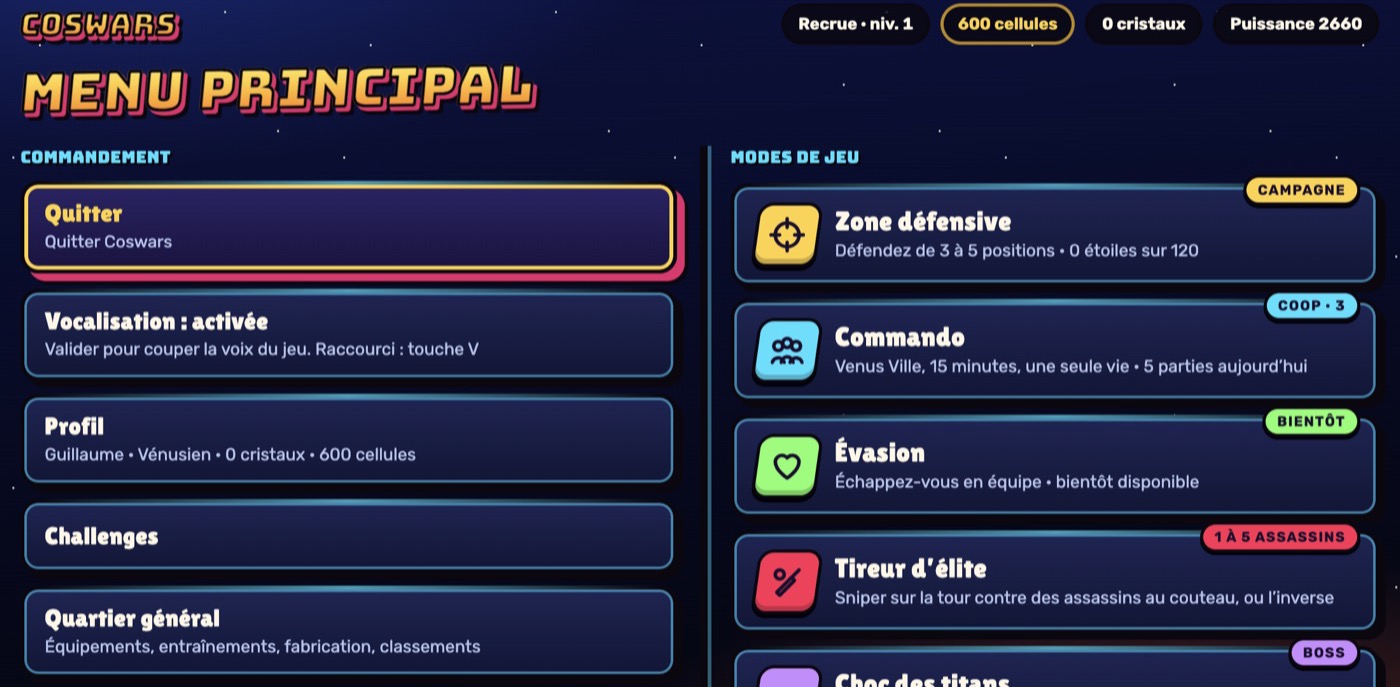
On a smartphone, a good game for visually impaired players has strong contrast, large elements and a voice that can take over. Coswars, a shooter designed first for blind and visually impaired players, ticks these boxes: a high-contrast comic book style, big menu buttons read aloud under your finger, and full voice output.
What are the best video games for visually impaired players on smartphone?
There is no official ranking of the “best” games for visually impaired players: it all depends on each person’s sight. Here is what to check:
- strong contrast and thick outlines;
- buttons and text that are large enough;
- a voice or sounds that repeat what is shown on screen;
- simple controls, with no precision gestures.
Coswars draws a thick black outline around every element, uses bright flat colors and large buttons in two columns, and a voice announces everything. A visually impaired player can play by sight, by ear, or both.
What are the best gaming apps for visually impaired players on Android?
On Android, the Coswars app has its own voice (the phone’s speech engine) and is controlled with your fingers: a visually impaired player does not need to read the screen. It is available on Google Play. How it works with TalkBack, Android’s screen reader, is still being studied: to play, the game handles the voice and gestures on its own.
In short
- Points to check: contrast, large elements, voice, simple controls.
- Coswars: thick outlines, bright colors, big menu buttons, full voice output.
- Android: the game has its own voice; TalkBack support still being studied.
Frequently asked questions
Can I adjust the voice volume?
Yes, in the menus and during a match, in 5% steps.
Does the game work in portrait mode?
It is played in landscape; if rotation is locked, the game turns itself.
Read more
- Coswars, the shooter designed for the ear: home page
- The Coswars game modes
- Coswars accessibility in detail
- Playing a shooter on iPhone when you are blind: gestures, VoiceOver, TalkBack
- Blind or losing your sight: which action games can you play?
- Coswars on iPhone, Android and computer: platforms, one account and release
- All blog articles